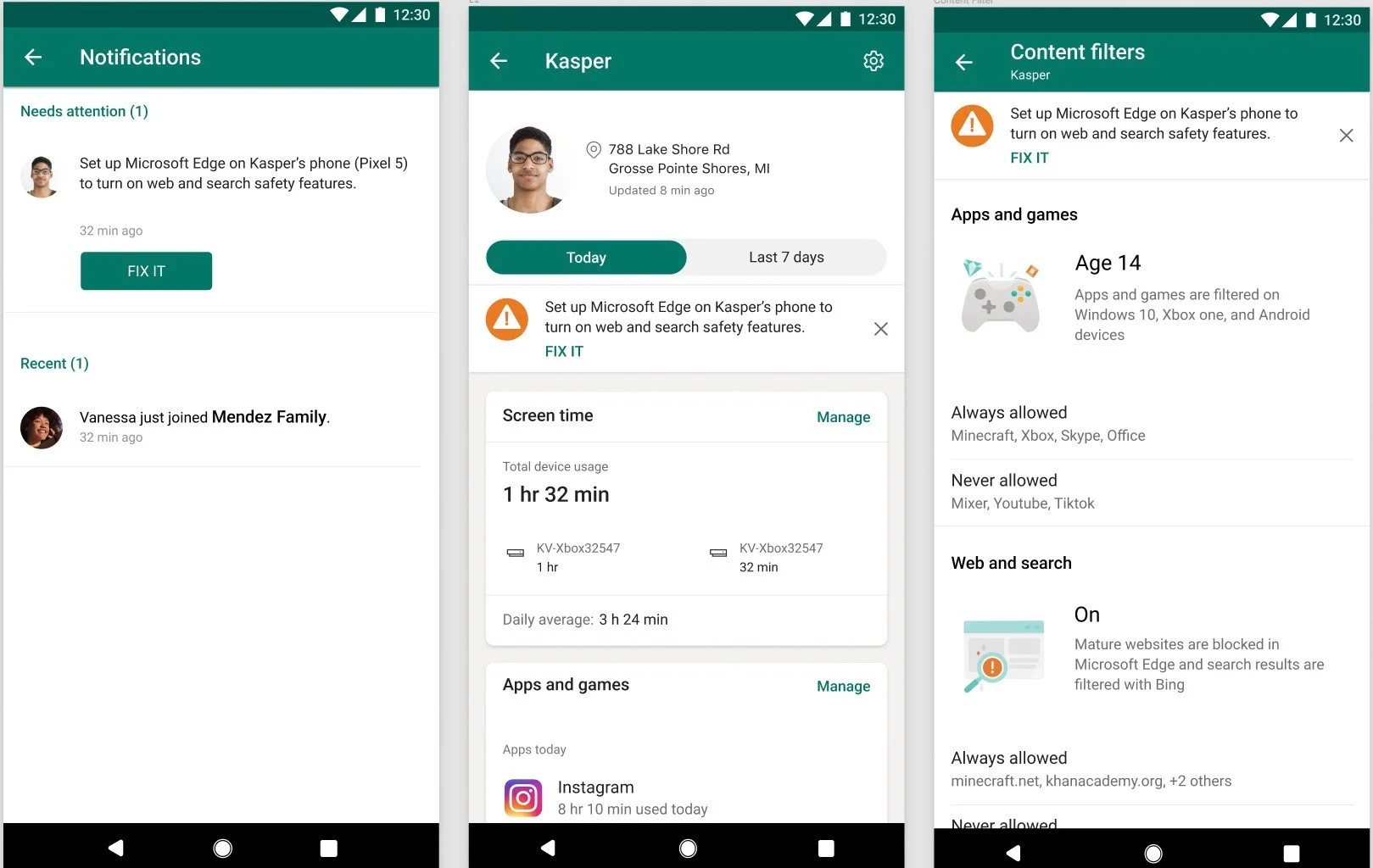
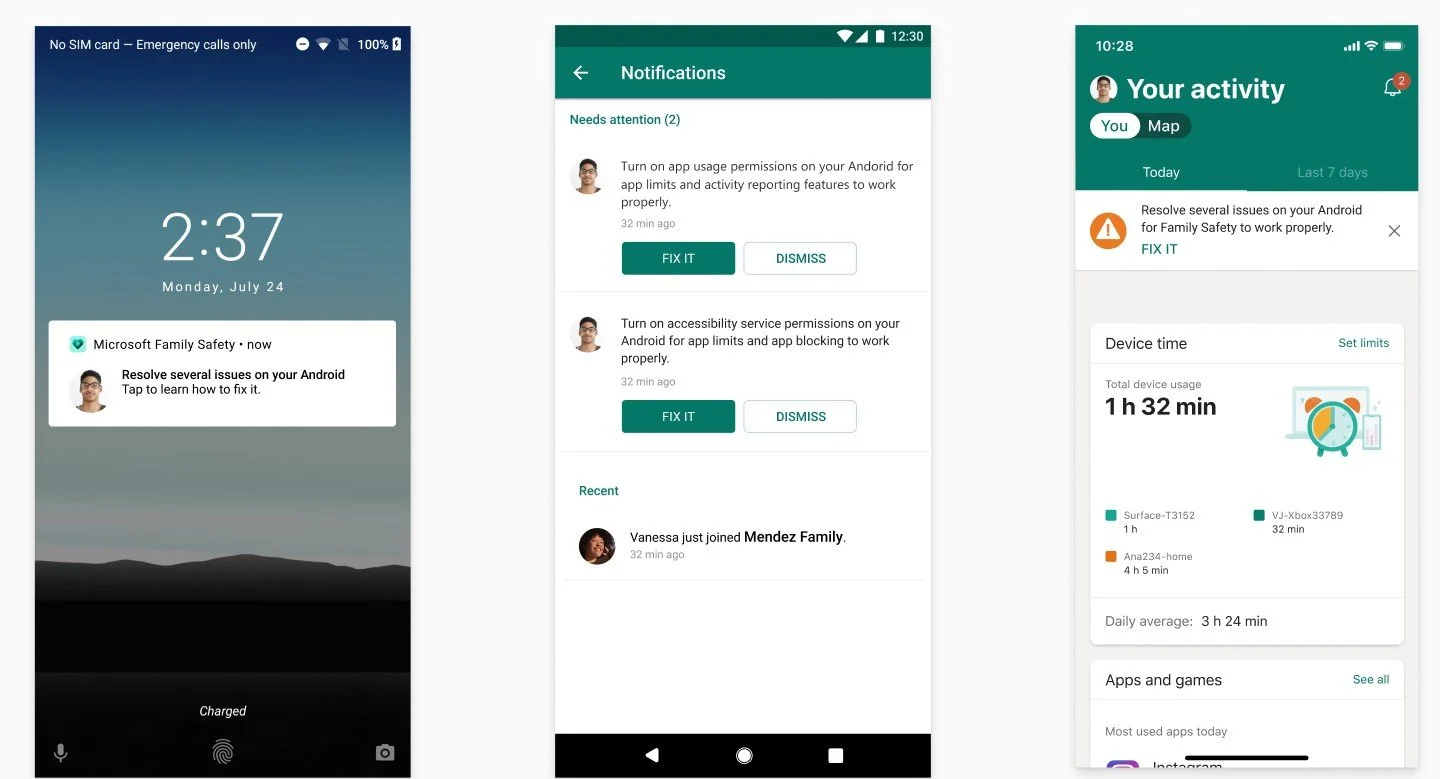
Notification framework for Family Safety
Summary
With two designers over the course of a year, we built a new notification system for Microsoft Family Safety that spans across web, email, and mobile platforms. Microsoft Family Safety is a parental control service that’s free with premium offerings that are available for Microsoft 365 Family subscribers. Family Safety aims to provide transparent digital and physical safety solutions to help families build healthy habits together.
Facts
Microsoft Family Safety currently has ~15 million monthly active users
Works on Windows, Xbox, iOS, and Android
I am the only content designer on Microsoft Family Safety (1:25 Content Designer to UX Designer Ratio)
Goals
Increase monthly engaged users by notifying of new changes to their family construct or settings changes
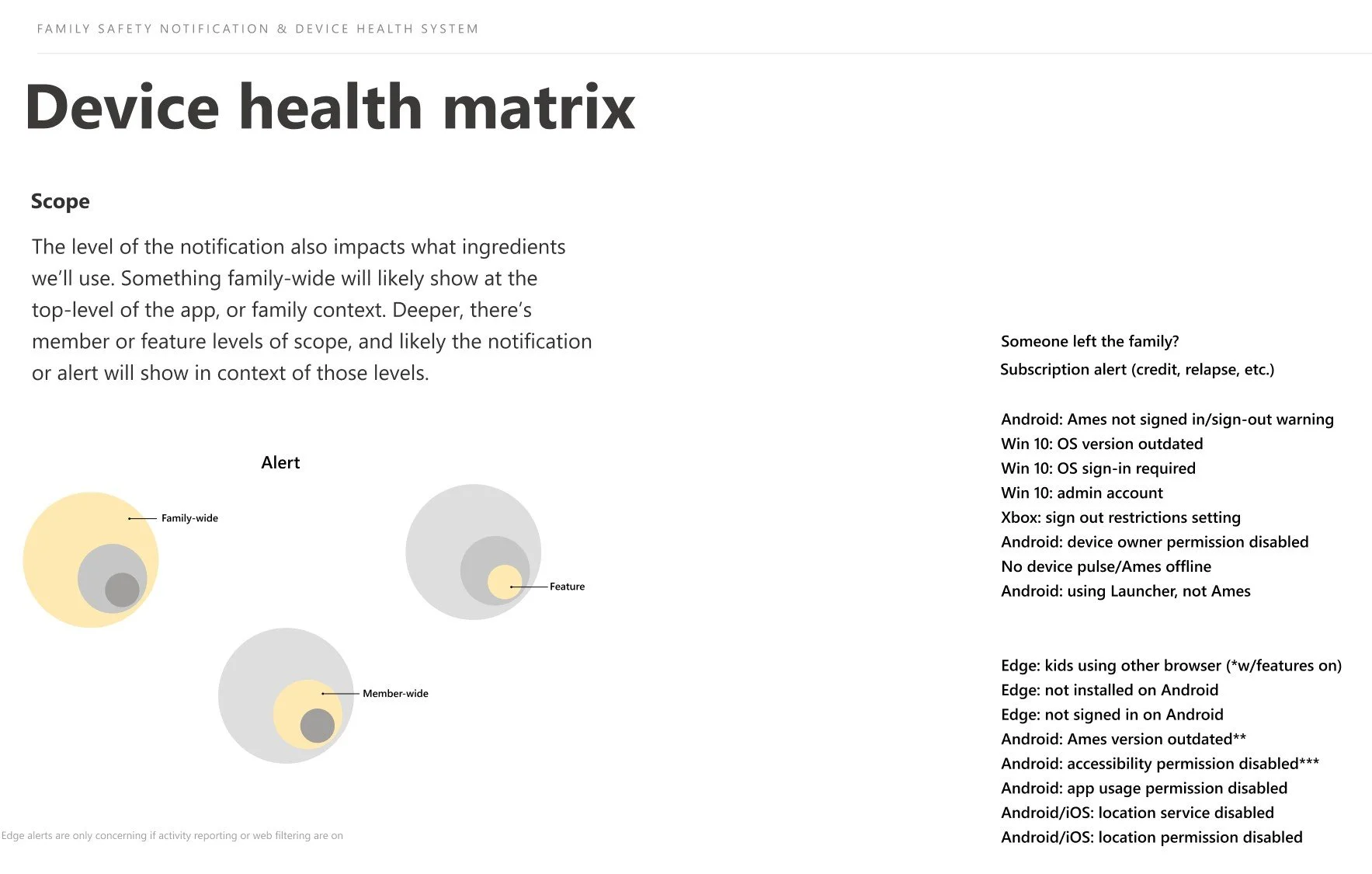
Increase users in ideal state by creating a device health system and informing users what steps are needed to complete to have their devices set up properly
Increase new user retention
Notifying families about what’s important (without being annoying)
Problem
Our former web notification badges did not have any form of information hierarchy. Notifications would be stacked on top of each other with the option to allow or deny.
Questions we asked
How do we classify different notifications that have varying levels of impact and importance?
Do we blast all push messages at once when there are multiple device issues plus feature notifications?
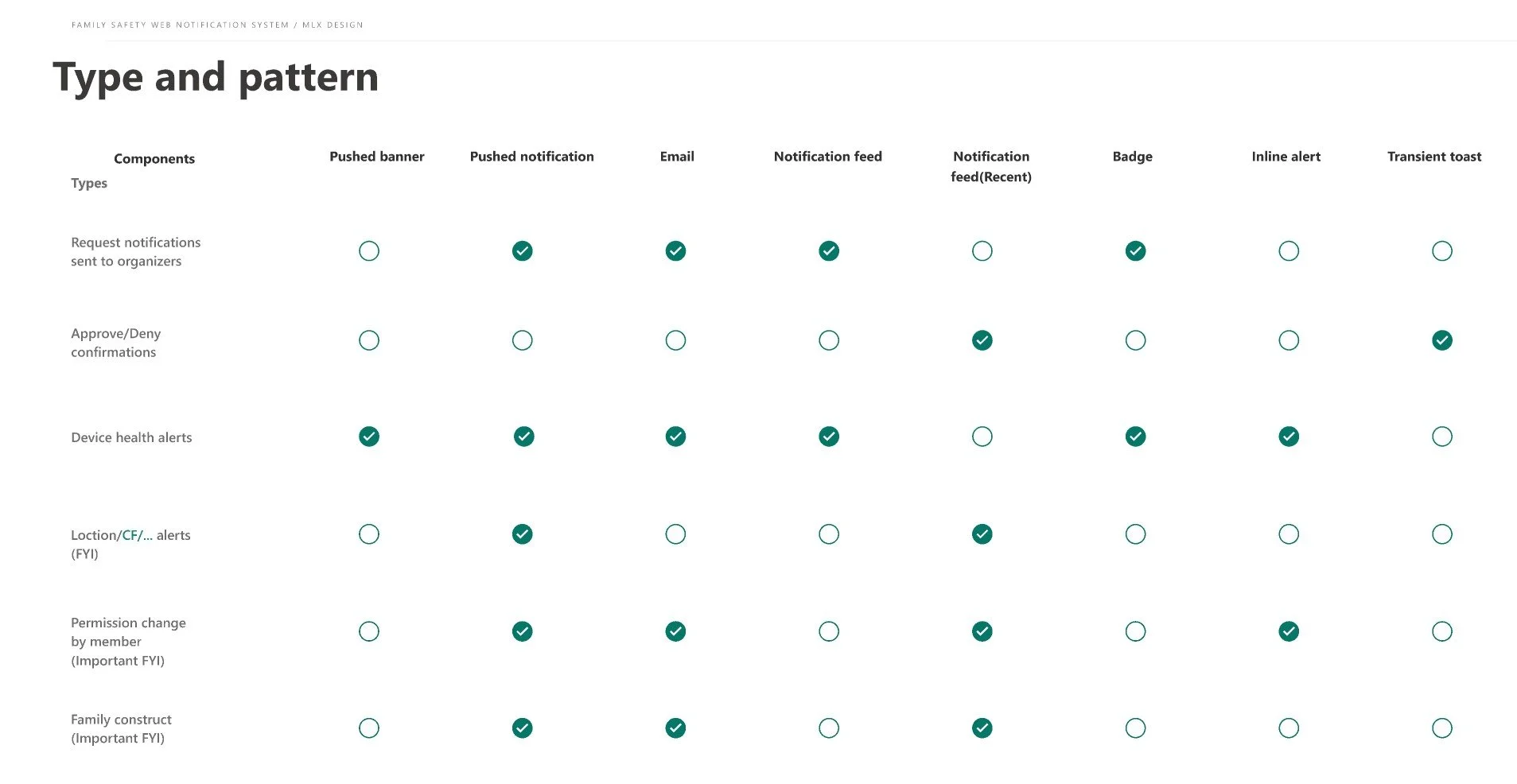
What surface does each notification appear on?
How do we encourage users to set up their devices for ideal state without being overwhelming?
What we created
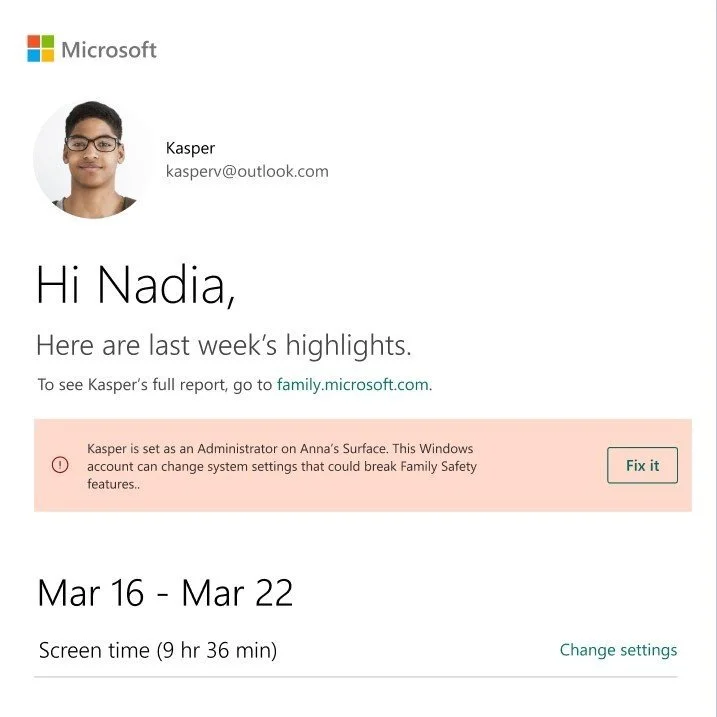
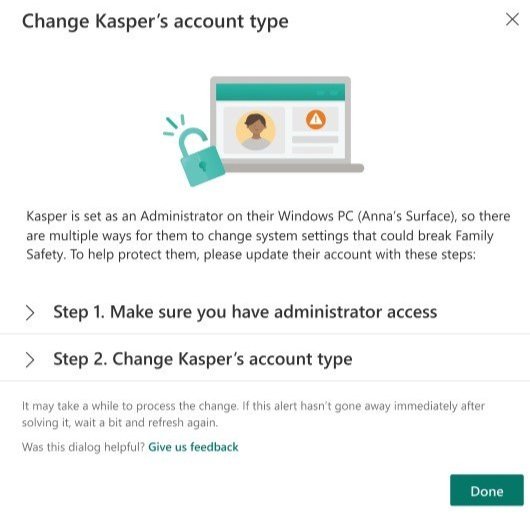
3 types of notifications (Device health, Pending requests, General/nonactionable notifications)
Banners
Live toasts, Transient Toasts
Notification feed
Push notifications
In-context messaging
Emails'
Solution
Creating a comprehensive notification system with varying character limits depending on what platform the notification appears on and what type of notification it is. Additionally, we prioritized what notifications the user needs to see first, so notifications can be easy to scan by importance. Our new information architecture has device health notifications appearing at the top of the notification feed, then pending family member requests, and then nonactionable notifications or updates.

Before (Web notification badging system)
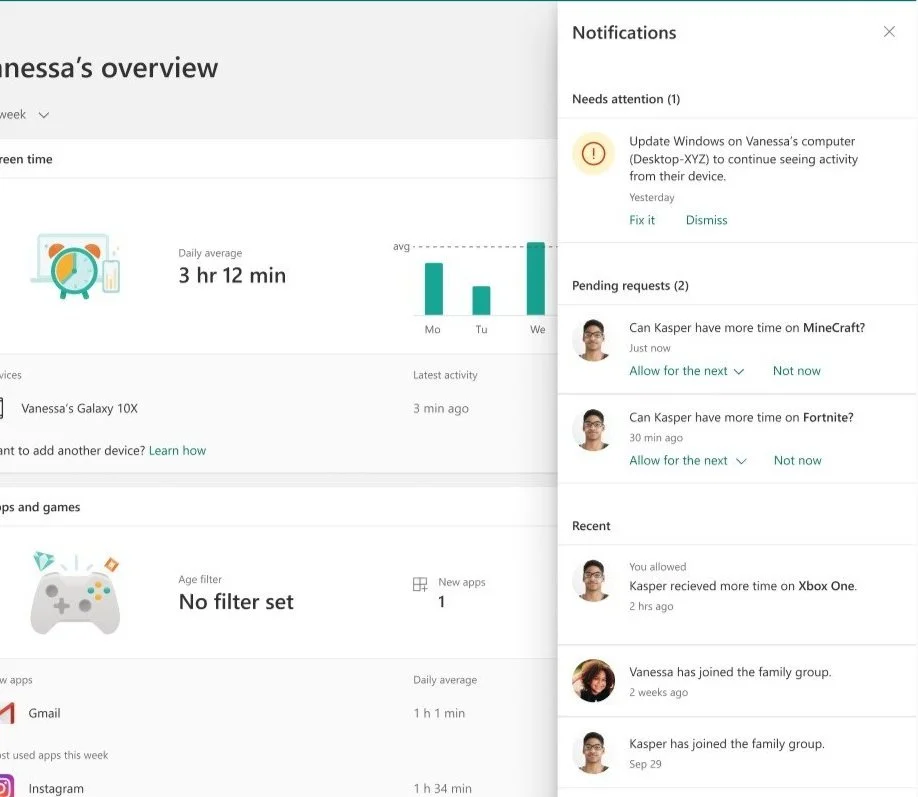
After (Web notification badging system)